

Everyday Ethiopian scenes
Describe a coffee ceremony, a home interior or a contemporary street scene with concrete objects and actions. Avoid replacing a specific story with generic imagery.
Prompt Guide
Model
Reference Image
Plan Amharic content creation around scenes that match your story. Use this Amharic video maker for the visual layer, from everyday culture to city life, then pair each clip with your reviewed script.
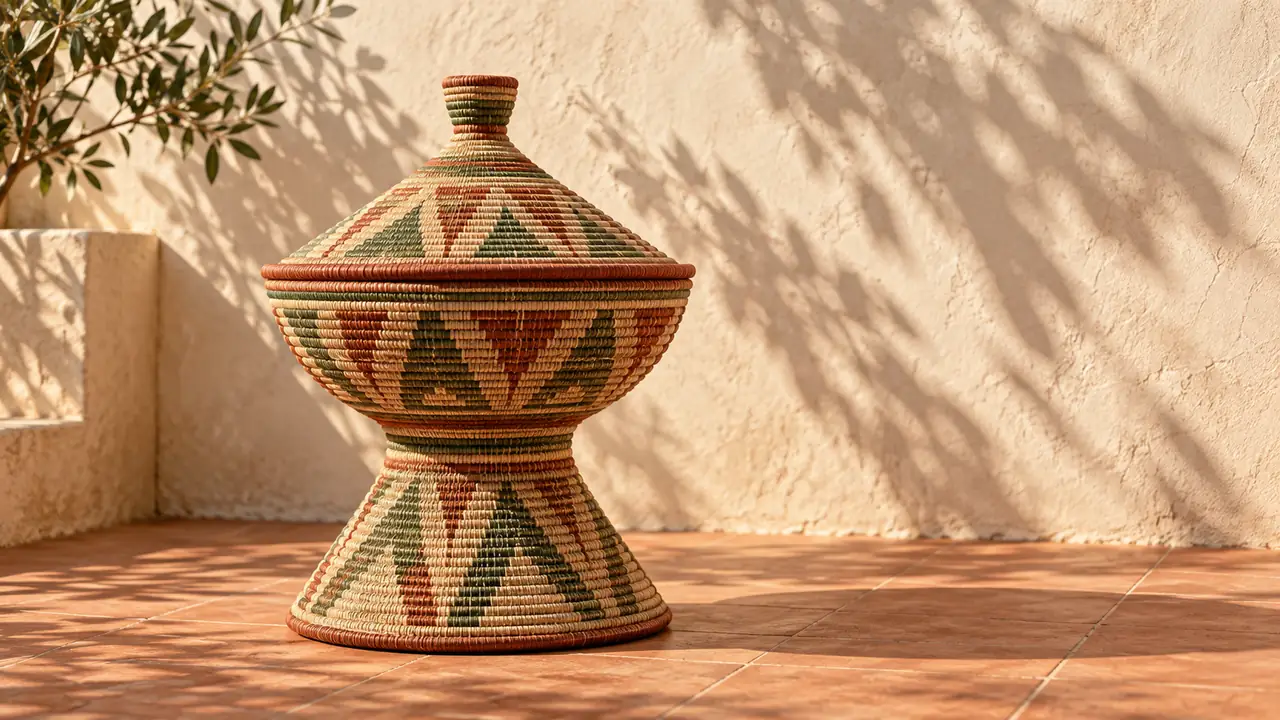
Separate the visual scene from the language track so both can be reviewed properly.
Write the purpose of your video and the key visual moment. Keep each generated shot focused on one setting, subject and action.
For the Amharic AI Video Generator, describe the clothing, objects, location and camera move precisely. Use an English scene description if your selected model follows it more reliably.
Choose the available model and video settings. Check faces, hands, weaving, objects and architecture, especially when the scene refers to a real place or tradition.
Record your narration or use a speech tool that explicitly supports Amharic. Add subtitles in an editor, then have a fluent speaker check wording, pronunciation and timing.
Explore 12 Amharic AI Video Generator scene ideas for food stories, travel, lessons and creative reels. These generated illustrations are separate from the quick-start examples above.
Circle slowly over an injera-inspired flatbread platter with colorful lentils and vegetables, ready for a narrated food story.
Use This SceneFollow roasted coffee beans turning slowly in a shallow pan, with subtle steam and warm workshop light.
Use This SceneMove past red tomatoes, green herbs and yellow peppers for a lively market-story opening.
Use This SceneTrack a clean light-rail train crossing an urban bridge in a generated city scene inspired by Addis Ababa.
Use This SceneDrift past tall lake reeds and a small wooden boat in a calm highland sunrise scene.
Use This SceneFollow a winding road through dramatic highland escarpments with a slow, steady aerial camera move.
Use This SceneMove through a bright empty classroom, ready for reviewed Amharic narration and subtitles added later.
Use This SceneShow solar panels beside a small irrigation tank for a visual lesson about clean energy and farming.
Use This SceneAnimate colorful 3D shapes circling a glowing center for a simple motion explainer; add Amharic narration in an editor.
Use This SceneCircle a slowly rotating handmade clay bowl for a short craft reel with a warm, tactile feel.
Use This SceneAnimate a paper-cut lion lifting its head beneath an acacia tree for an illustrated storytelling reel.
Use This SceneSlide along colorful threads on a wooden loom for a craft process reel, preserving the woven pattern.
Use This SceneBuild Ethiopian AI video scenes while keeping cultural and language review in the workflow.
Describe a coffee ceremony, a home interior or a contemporary street scene with concrete objects and actions. Avoid replacing a specific story with generic imagery.
Ask for uncluttered lower framing, then add the final text in an editor. Generated writing can contain errors, so keep text out of the visual prompt when accuracy matters.
Use the Amharic AI Video Generator for a landscape establishing shot or a simple supporting scene. Match each clip to one point in your reviewed lesson script.
Focus on fabric, weaving, lighting and a gentle camera move. Review clothing and cultural references with someone familiar with the context before sharing.
Generate individual scenes and assemble them with your narration, music and captions. This gives you more control than asking one short generation to tell an entire story.
The Amharic AI Video Generator creates the visual layer. Verify Amharic speech support separately and check the finished voice track and subtitles with a fluent speaker.
Illustrative creator workflows; these are fictional examples, not customer reviews.
Story workflow: plan the visual scene first, then time it to a reviewed Amharic narration.
Lesson workflow: keep one idea per shot and reserve a clear area for subtitles added later.
Culture workflow: describe the specific garment or object and review the generated details before sharing.
It is a visual video workflow for Amharic-language content. Generate scenes for Ethiopian stories, lessons or social videos, then combine them with reviewed Amharic narration and subtitles.
Accurate Amharic speech and lip sync have not been verified for this workspace. Use a speech tool that explicitly supports the language, or record a fluent speaker, and review the result.
Use the language that your selected video model follows reliably. You can plan your story in Amharic and provide a precise English visual description, then keep the final narration and subtitles in Amharic.
You can request an illustrative scene, but generated architecture, clothing and historical details may be inaccurate. Use verified references and label reconstructions appropriately; do not present a generated clip as real footage.
Current trials, credits and account requirements are shown in the workspace. Review the selected model and settings before generating; do not assume unlimited free video creation.